The file
One master, every market
Each column is one breakpoint in one market, with the change log and the accessibility page at the front.
The iShares comparison tool puts up to four funds side by side, on data that regulation defines, under a lot of Compliance rules. I designed the first charts it ever had, next to the figures and never in their place, and readable without colour.
BlackRock runs the iShares fund websites for investors in the UK, Germany and the US, and the comparison tool is where they put funds side by side. It had never had a chart: a table of figures, on data that regulation defines.
I was the associate UX product designer on the tool, working with engineering. I ran the unmoderated tests that showed where a chart earns its place, chose the formats, specified every breakpoint, market and state, and moved the screens from Sketch to Figma.
Charts would make the comparison tool better. Which data, in which format, and where a chart would actually help was the work.
BlackRock runs the iShares fund websites for investors in the UK, Germany and the US, and the comparison tool is where they put funds side by side. Regulation defines that data: what can be shown, how, and with which disclaimers. There were a lot of Compliance rules, so nothing could be hidden or summarised away.
These are technical users. They know what they are looking for and they need every figure on the page. In a regulated product you can't remove the complexity, so I changed how it was shown. All of this happened while the team moved from Sketch to Figma, a migration I was responsible for on our product, so every component I designed also had to work as a decision for the whole library.
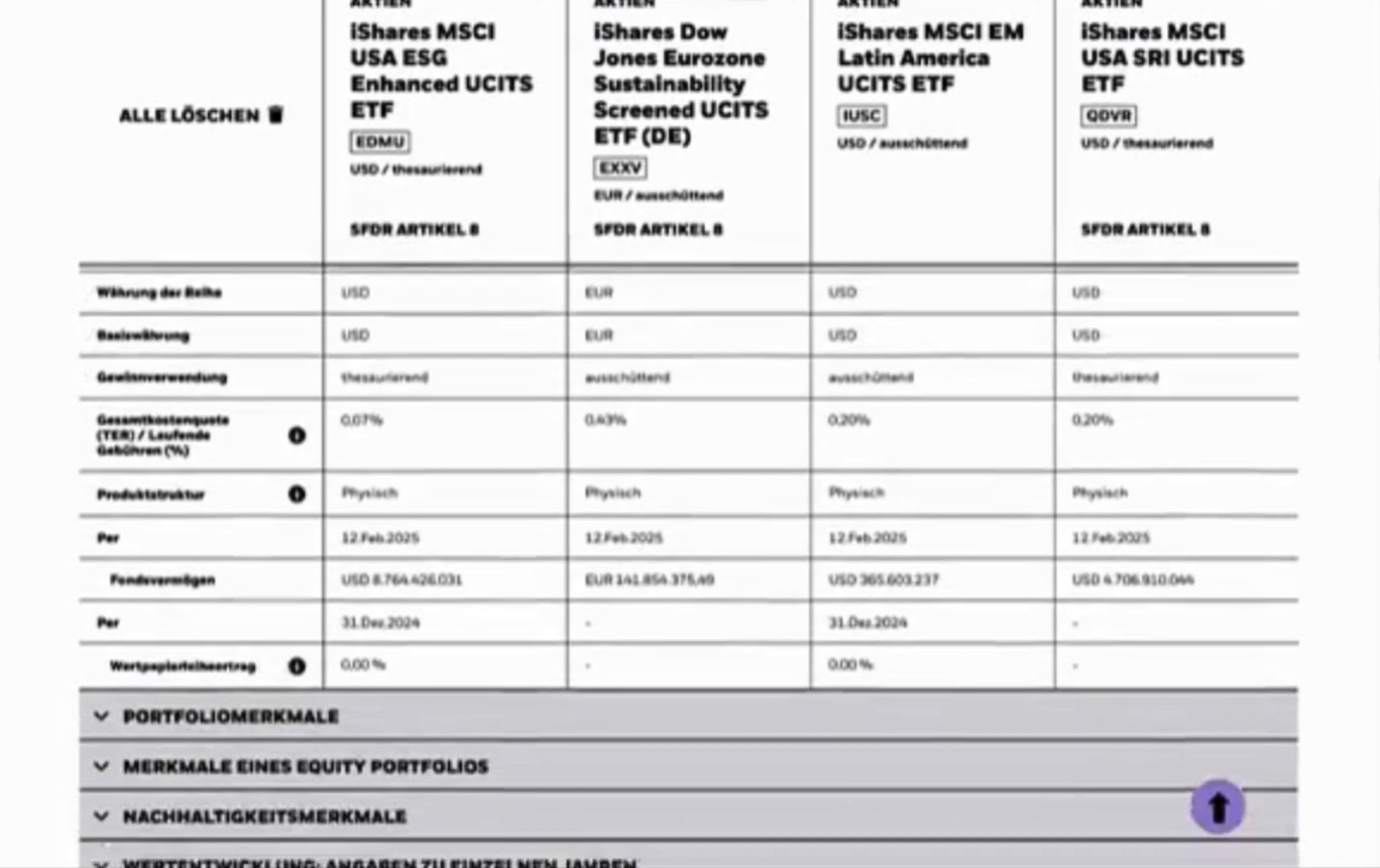
I ran round after round of unmoderated tests to find which sections of the table benefited from a visual comparison. The answer was: not all of them.
I set up the tests on UserTesting.com, wrote the flows, ran them and analysed the results myself. The question underneath was narrower and more useful than "add charts": where does a chart earn its place, and where is it just decoration?
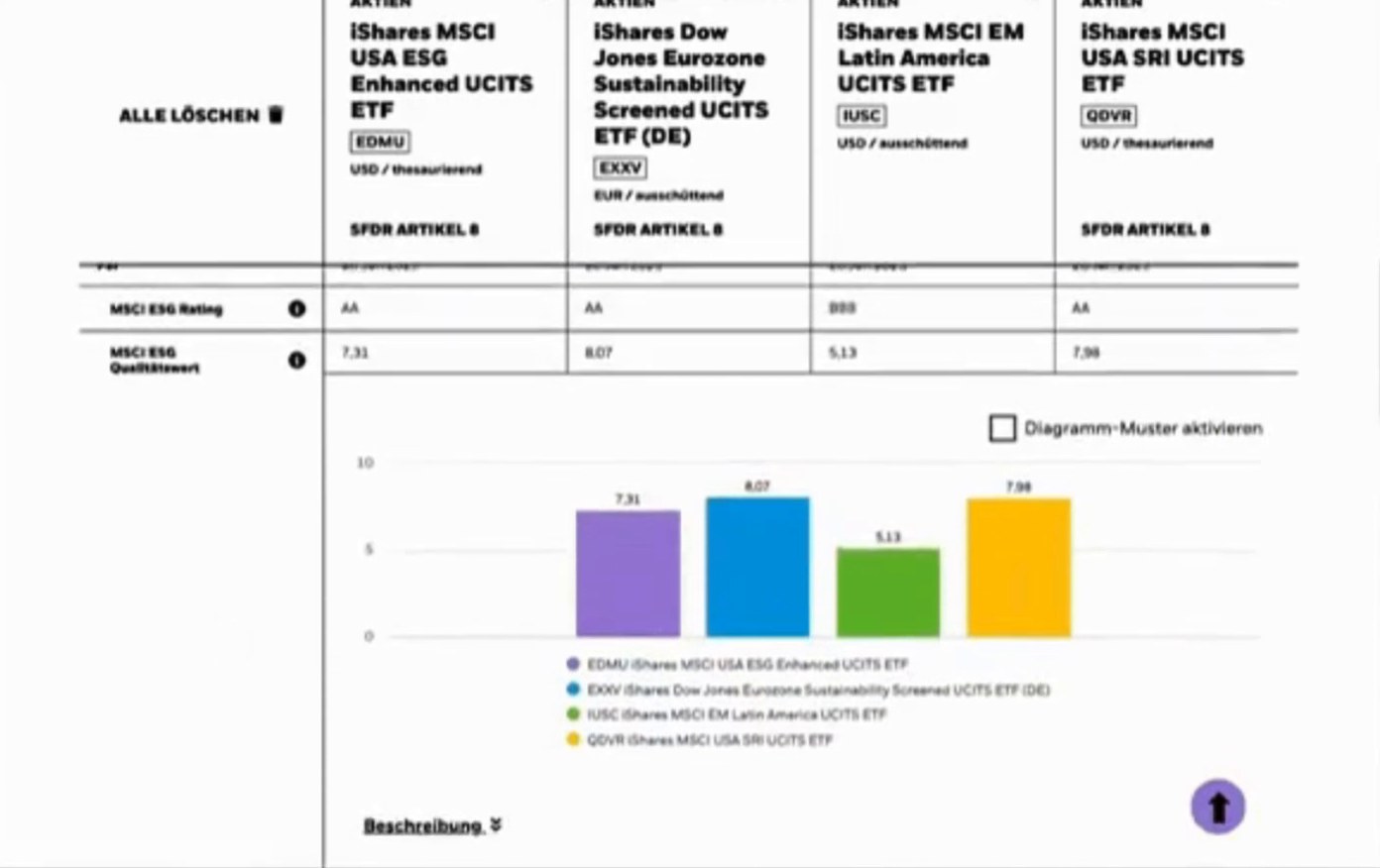
Sustainable funds were a firm-wide priority, and it was the right call on the merits too: their indicators reward being compared side by side. Then the format. Pie charts looked richer and answered a question nobody was asking. Comparing several funds on one indicator is what bars do best, and I tested it instead of assuming.
I placed each chart under the row it draws, next to the figures and never in their place.
Compliance needs the number, the investor needs the pattern, and both stay on screen. The table keeps every figure the rules require, and the chart underneath shows how four funds compare on that one indicator. I defined the chart formats with engineering, instead of handing over a picture of a chart, and that is what made them buildable.
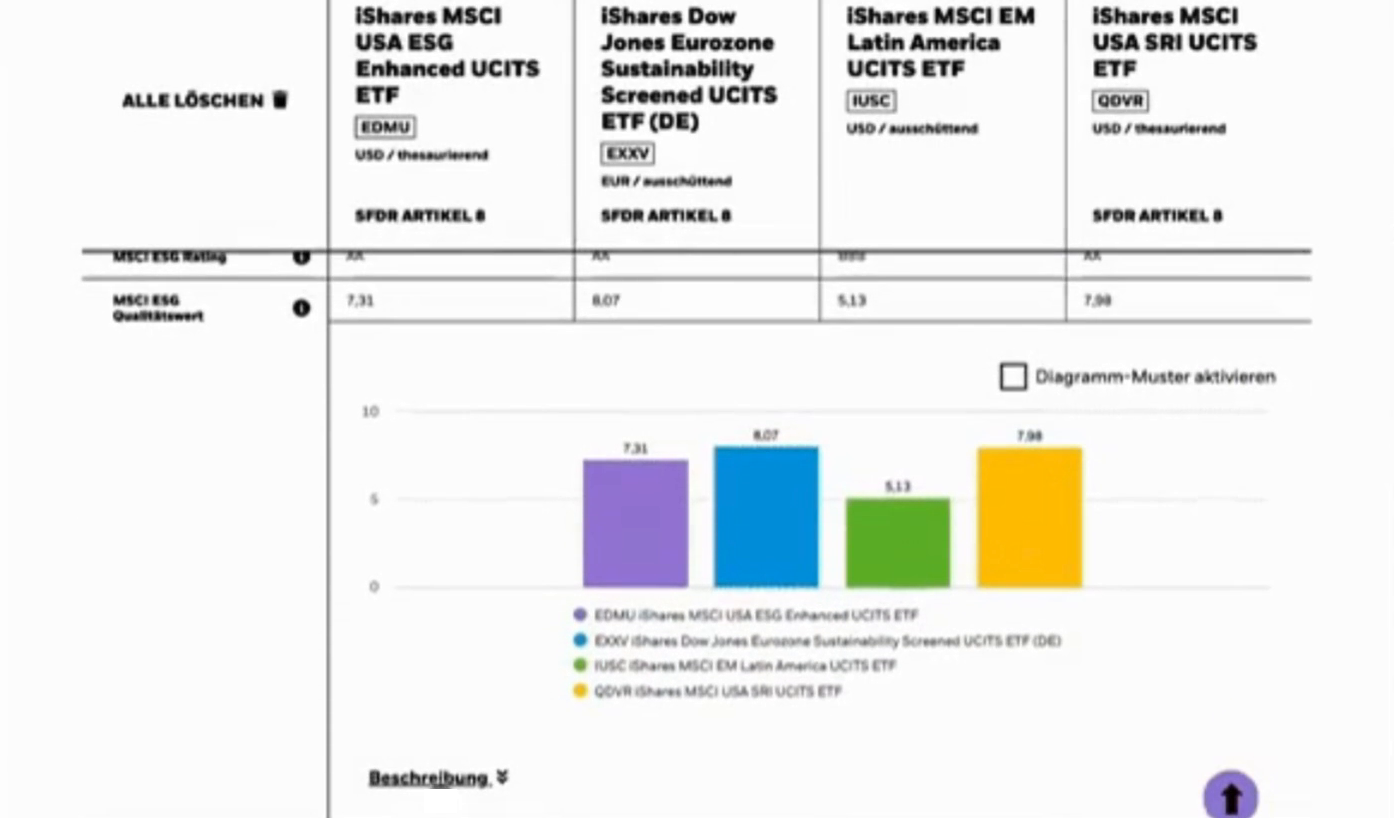
Every required figure stays in its row. The chart is added underneath.
Chosen for comparing several funds on one indicator, and tested against pie charts.
A second signal a user can switch on, so each fund can be told apart without colour.
Four funds, four colours, and colour was the only thing telling you which bar was which.
That leaves out anyone with a colour vision deficiency, and it stops working the moment the page is printed in black and white. Contrast ratios do not fix it, because the problem is identification, not legibility.
So the bars carry a second signal: fill patterns, one per fund, matching the legend, that a user can turn on. Colour still does the fast, comfortable work for everyone who can use it, and it stops being the only thing that does. WCAG AA covered the rest of the screen too: contrast, type sizes and focus order.

Engineering told me which questions kept coming up while building, and I started answering those before they were asked.
Most of the format was the BlackRock standard: a company with a lot of rules and real design maturity, especially around accessibility, and being held to that bar taught me what a good delivery looks like. What was mine was the migration from Sketch to Figma for iShares Compare. Rebuilding every component was the chance to update things that had not been touched in years, and to make accessibility part of what "migrated" meant.
The specifications lived in a Figma master: you changed them there, and the change flowed down into the library. I took that idea with me, and the checkout library I later built at Jimdo works the same way.
The file
Each column is one breakpoint in one market, with the change log and the accessibility page at the front.
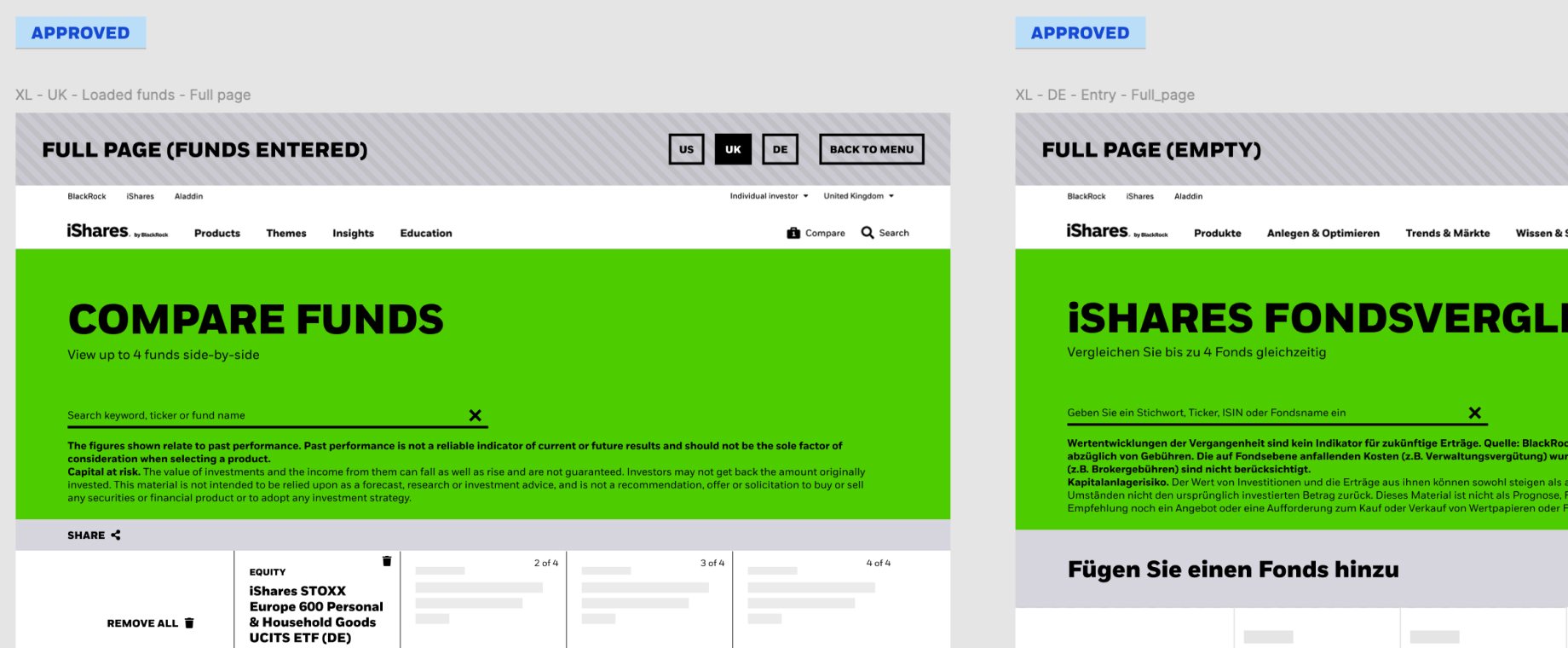 Markets
Drawn separately for the UK, German and US sites: different funds, different currencies, and German strings that run about a third longer than the English ones.
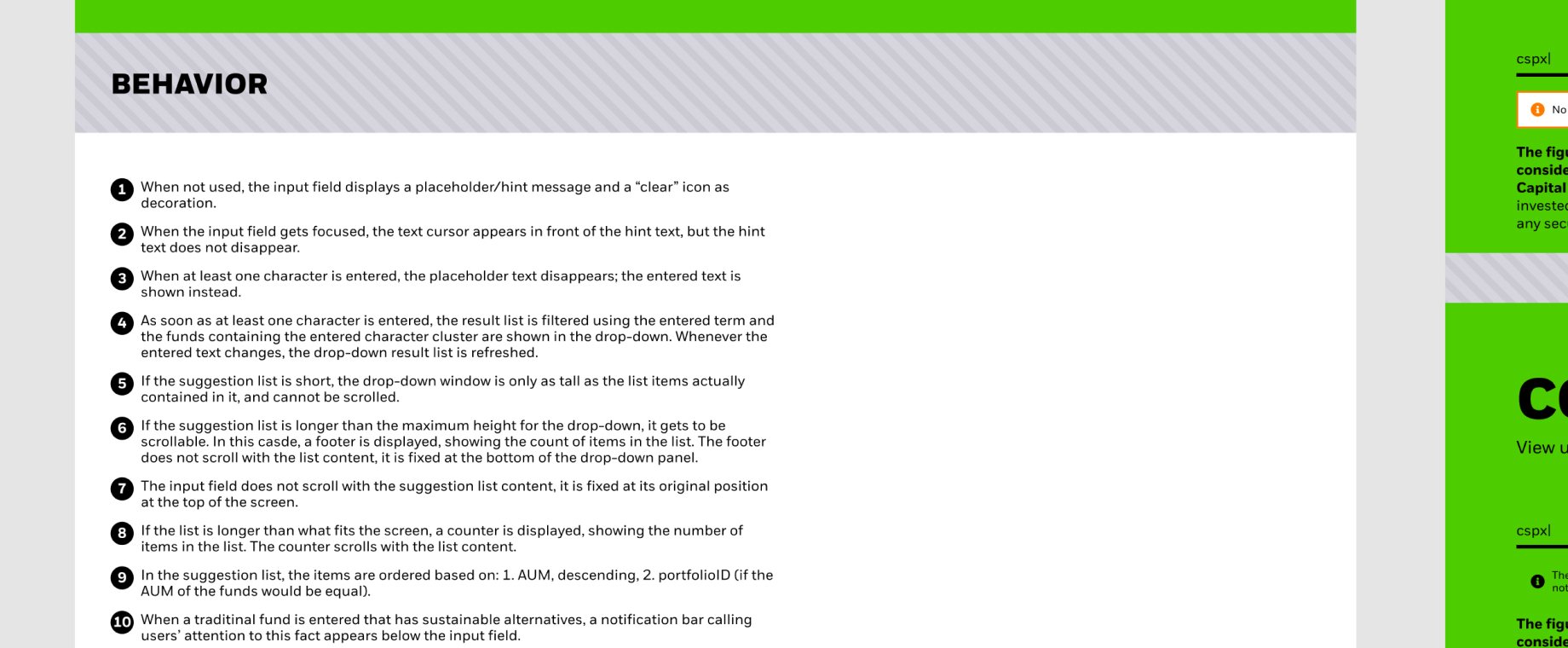 Behaviour
Every step of the search field, from the placeholder to a list too long for the screen, so nobody has to invent it while building.
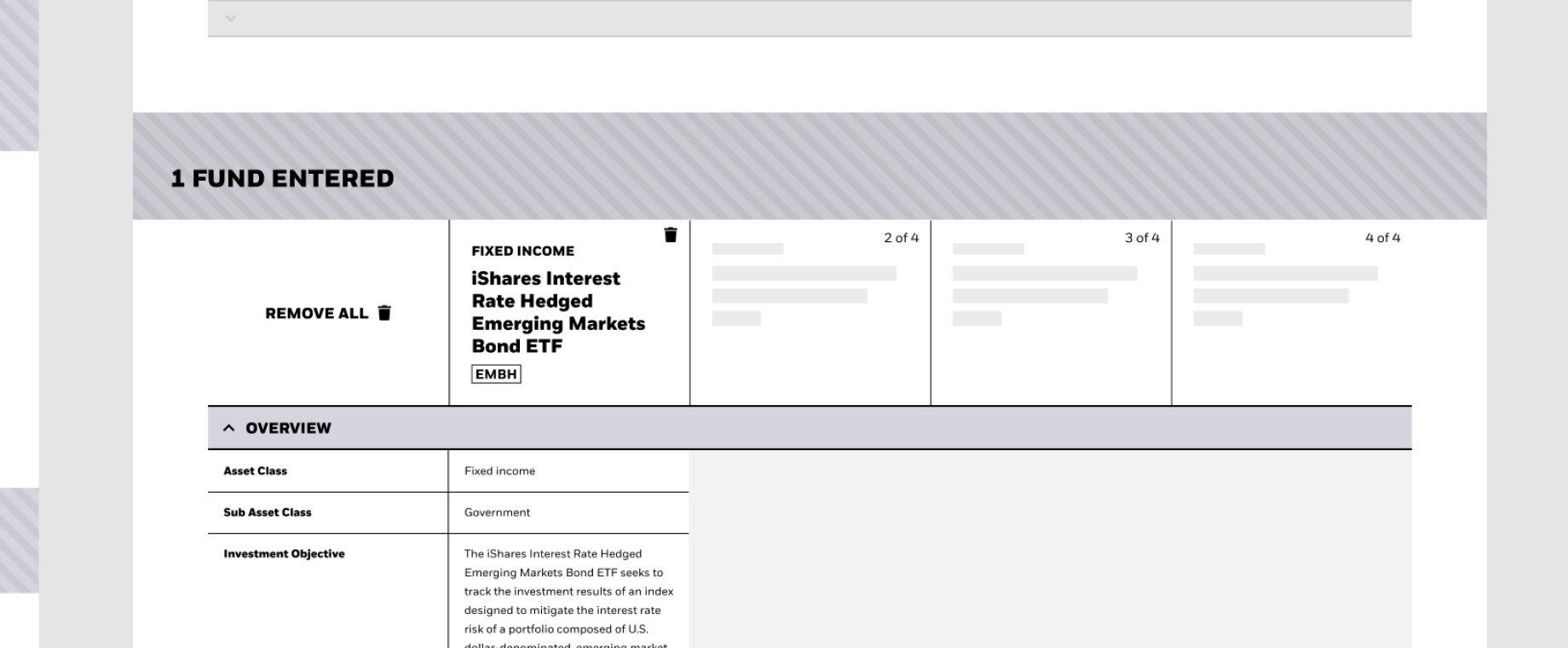 States
A comparison tool spends most of its life part-filled, so every combination is drawn, including what happens while you remove funds.
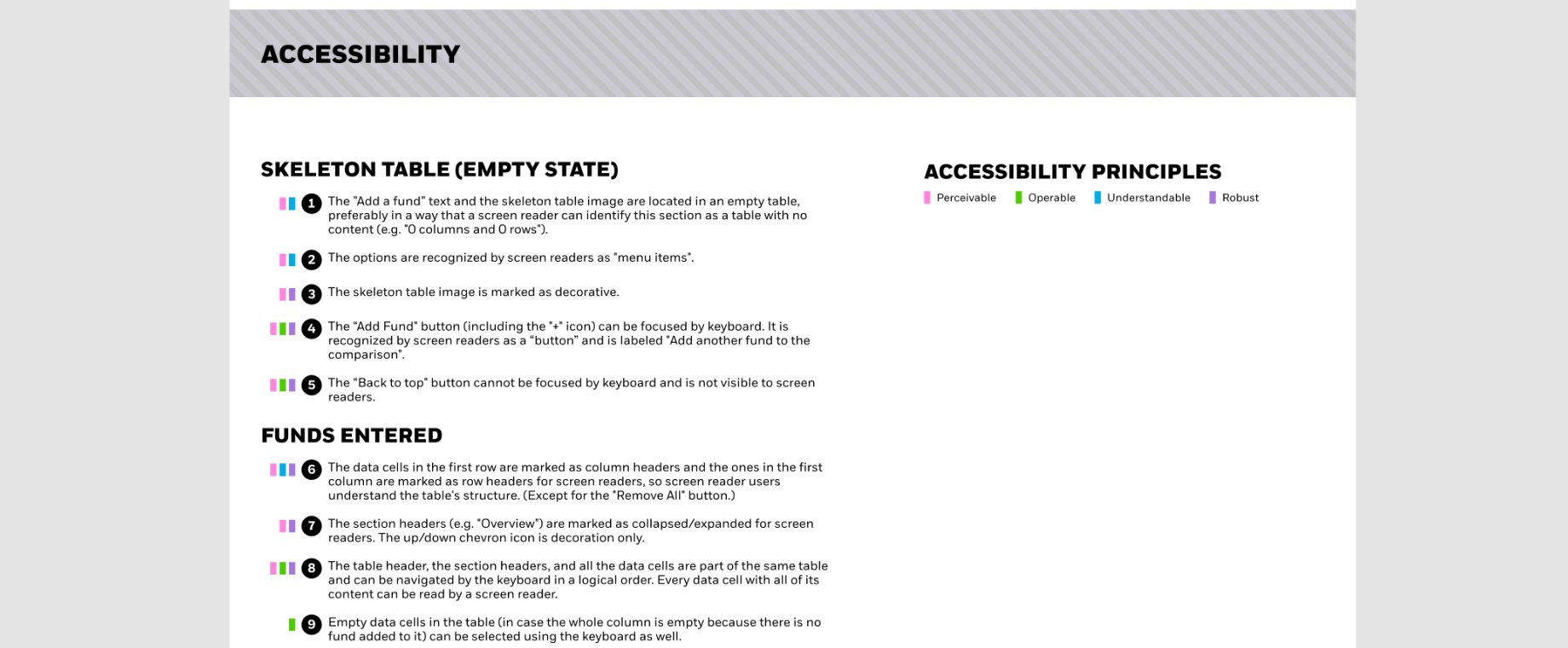 Accessibility
Each criterion written out, with an example, so it could be reviewed like any other part of the build.
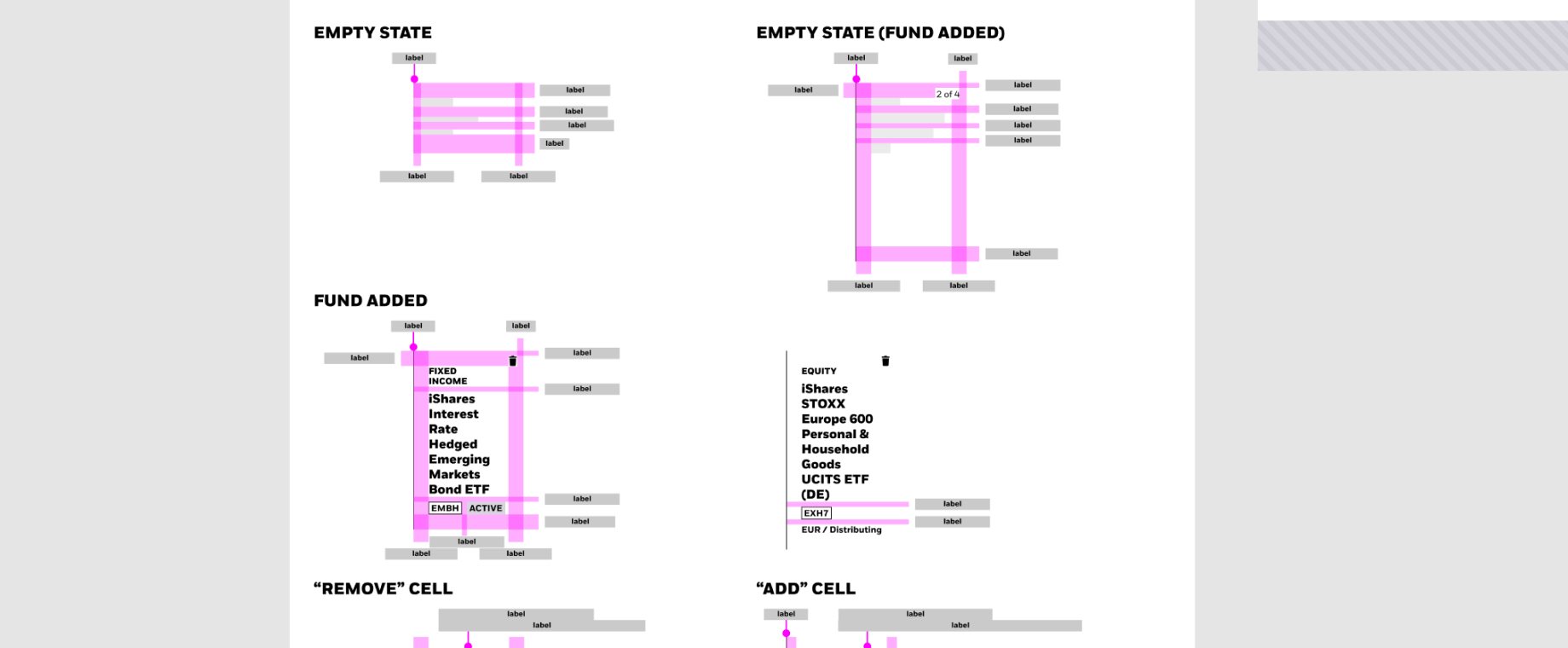 Redlines
Spacing and sizes marked on every state of a cell. It looks obsessive written down. It is the difference between engineering guessing and engineering building.
We knew comparing several funds on a phone might not be worth much, and we built it anyway.
The reasoning held up for what we knew: our users were overwhelmingly on desktop, that is where every round of testing ran, and parity across breakpoints was already the plan.
What I would change is one round spent finding out. A doubt the team keeps repeating out loud is already a research question, and usually the cheapest one on the list. When we finally revisited it, the answer matched the doubt we had started with, and mobile comparison was deprecated after I left.
The first chart is the expensive one: it has to win the case that a visualization belongs on that page at all. Making that case the first time is the part I would do again.

Hola, I'm Lu. Senior Product Designer, 6+ years across different industries. I start with the real problem, make complexity understandable, and stay close to the outcome. More about me →